

For scaling SaaS companies, HubSpot is more than a CRM, it’s the operational backbone behind revenue forecasting, customer lifecycle management, marketing automation, and executive decision-making. Yet many RevOps leaders and CTOs still assume HubSpot’s native protections are enough to safeguard that data. They aren’t. Accidental deletions, sync errors, overwrites from third-party integrations, insider mistakes, and limited retention windows can quickly turn into costly operational disruptions when customer and pipeline data cannot be fully restored. This guide explains why a dedicated HubSpot backup and restore strategy has become a critical requirement for tech companies, covering not only how backup solutions work, but also the broader business, compliance, and continuity risks that SaaS leaders need to address before data loss impacts revenue.

Why Your HubSpot Data is More Vulnerable Than You Think
In fast-growing SaaS organizations, HubSpot data changes constantly. Sales teams update pipelines in real time, marketing workflows trigger thousands of automated actions, integrations sync data across multiple platforms, and customer success teams rely on accurate records to manage retention and expansion. In this kind of cloud-first environment, data vulnerability is rarely caused by a single catastrophic event. More often, it stems from everyday operational complexity that quietly introduces risk across the entire revenue engine.
The challenge is that many companies assume SaaS platforms automatically provide comprehensive protection against data loss. While HubSpot now offers native backup and restore capabilities, many scaling SaaS organizations still evaluate whether those features provide sufficient coverage for complex RevOps environments, long-term retention needs, governance requirements, and operational recovery at scale. When critical CRM objects, workflows, reports, or historical records are altered, corrupted, or deleted, the downstream impact can extend far beyond missing contacts. Revenue forecasting, attribution reporting, customer communications, sales automation, onboarding processes, and executive visibility can all be disrupted simultaneously.
For RevOps leaders and CTOs, the real concern is not simply whether data can be recovered, but whether business continuity can be maintained when systems, teams, and revenue processes depend on that data every day. The following sections break down the most common, and often underestimated, HubSpot data risk scenarios that scaling SaaS companies face.
Common Data Loss Scenarios: Beyond Accidental Deletion
For SaaS companies, HubSpot data loss rarely happens because of one dramatic system failure. More often, it comes from routine operational activity that unintentionally disrupts critical revenue data. The following scenarios are among the most common causes of HubSpot data loss for growing tech businesses:
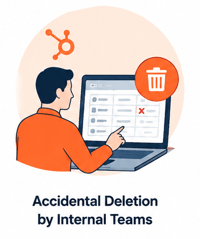
Accidental Deletion by Internal Teams
A sales manager cleans up old pipeline records and unintentionally deletes active deals tied to current opportunities. By the time the mistake is discovered, related workflows, notes, and activity history may already be gone or difficult to recover completely.
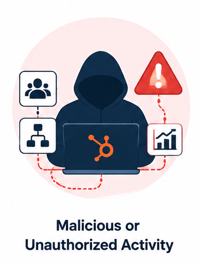
Malicious or Unauthorized Activity
A disgruntled former employee with lingering account access deletes contact lists, workflows, or reporting dashboards before leaving the company. Even a short disruption can impact campaign execution, sales visibility, and leadership reporting.
Faulty Third-Party Integrations
A new integration between HubSpot and another SaaS platform syncs incorrect field mappings across thousands of records. Instead of enriching CRM data, the integration overwrites lead statuses, ownership data, or lifecycle stages across the entire database.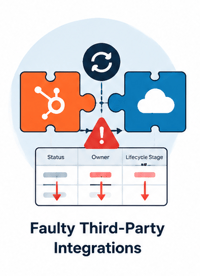
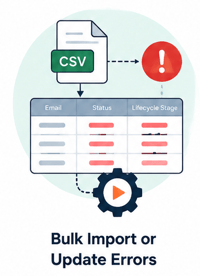
Bulk Import or Update Errors
During a large-scale CRM migration or marketing database cleanup, an incorrect CSV import updates thousands of customer records with inaccurate values. Automated workflows immediately trigger based on bad data, affecting segmentation, outreach, and reporting accuracy.
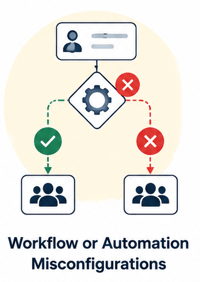
Workflow or Automation Misconfigurations
A small change to a workflow logic rule unintentionally removes contacts from nurture campaigns or reassigns leads incorrectly across sales territories. Because automation operates at scale, even minor errors can rapidly impact thousands of records.
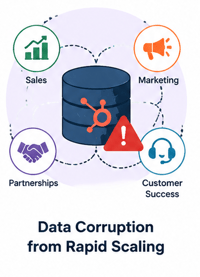
Data Corruption from Rapid Scaling
As SaaS companies grow, multiple teams often manage HubSpot simultaneously across sales, marketing, partnerships, and customer success. Without proper backup controls, overlapping processes and frequent system changes increase the likelihood of unnoticed data corruption over time.
The common thread across these scenarios is that the damage often extends beyond individual records. In many cases, compromised HubSpot data affects forecasting accuracy, campaign execution, customer communication, and overall revenue operations, making fast, reliable recovery essential for business continuity.
The RevOps Impact: How Data Loss Cripples Scaling SaaS Companies
For SaaS companies, HubSpot is far more than a CRM as it powers forecasting, pipeline management, customer acquisition, and revenue operations. When critical data is lost or corrupted, the consequences go far beyond operational inconvenience. They directly affect revenue integrity and business continuity.
A missing deal record can distort MRR and ARR reporting, making forecasts unreliable and reducing executive confidence in pipeline visibility. A failed import or incorrect lifecycle-stage update can break lead routing workflows, causing high-intent leads to be misassigned, delayed, or lost entirely. For scaling SaaS teams, even short disruptions in sales velocity can have measurable revenue impact.
Marketing operations are equally vulnerable. Lost attribution data or corrupted contact histories can skew CAC calculations and campaign performance reporting, making it harder to understand which channels are actually driving efficient growth. At the same time, missing customer records or onboarding data can disrupt handoffs between sales, customer success, and support teams.
The larger the company grows, the more interconnected these systems become. That is why HubSpot backup is not simply an IT safeguard for tech companies, it is a core part of protecting operational continuity, forecasting accuracy, and scalable revenue execution.
What HubSpot's Backup Tool Can (and Can't) Do
HubSpot now offers native backup and restore capabilities that can help organizations recover from accidental deletions, configuration issues, and certain data loss scenarios. However, for scaling SaaS companies running complex RevOps environments, the key question is whether the native feature set provides enough depth, flexibility, retention, governance, and operational resilience to support business continuity at scale.
The comparison below highlights how native HubSpot backup capabilities compare with more comprehensive backup and restore strategies designed for complex operational environments.
|
Capability |
HubSpot Native Backup & Restore |
Comprehensive Backup Strategy |
|
Data Retention |
Retention policies depend on HubSpot plan level and configuration |
Flexible or long-term retention policies tailored to business requirements |
|
Restore Granularity |
Supports recovery for many common recovery scenarios and object types |
Advanced point-in-time recovery across records, objects, and larger datasets |
|
Included Data Types |
Coverage varies based on configuration, object type, and HubSpot capabilities |
Broad coverage across CRM objects, associations, activities, workflows, metadata, and historical changes |
|
Protection Against Bad Imports or Sync Errors |
Can help recover from certain data loss or overwrite events |
More extensive rollback and recovery flexibility for large-scale corruption scenarios |
|
Workflow & Automation Recovery |
Recovery capabilities may vary depending on workflow type and restore scope |
More comprehensive backup and restoration of workflows, automations, and configurations |
|
Historical Version Tracking |
Provides some historical visibility and recovery functionality |
Deeper version history and more granular historical recovery options |
|
Recovery Speed |
Suitable for many operational recovery scenarios |
Faster large-scale recovery and operational continuity for complex environments |
|
Governance & Compliance Controls |
Includes native HubSpot security and administrative controls |
Often includes expanded governance, auditability, retention management, and compliance flexibility |
|
Business Continuity Support |
Designed to support many standard recovery needs within HubSpot |
Designed for broader operational resilience across complex RevOps ecosystems |
For tech companies running complex RevOps environments, the gap is not simply about “having a backup.” It is about whether the organization can fully restore operational accuracy after a data incident, without disrupting forecasting, lead routing, customer communication, or reporting integrity.
The Critical Gaps: Associations, Activities, and Full History
For SaaS companies, the real value of HubSpot is not just the individual records stored inside the CRM, but the relationships and historical context connecting those records across the customer journey. Even with native backup and restore capabilities in place, organizations should carefully evaluate how well complex CRM structures and historical context are preserved and restored in real-world recovery scenarios.
One of the most critical areas to evaluate is how associations are preserved and restored in recovery scenarios. In HubSpot, associations connect contacts to companies, deals, tickets, and other CRM objects, creating the structured relationships that power revenue operations. If these relationships are disrupted or not fully restored after a data incident, teams can lose important contextual links across the customer lifecycle, even when individual records themselves are recovered correctly. In practice, this can impact how effectively sales, marketing, and customer success teams understand account structure, ownership, and active opportunities, especially in complex or highly integrated CRM environments.
Another critical area to evaluate is how activity data such as emails, calls, meeting logs, notes, and task history is preserved and restored in recovery scenarios. These interactions form the institutional memory of the revenue organization and provide essential context across the customer lifecycle. If activity history is not fully or accurately restored after a data incident, teams may experience gaps in historical context that affect account understanding, pipeline analysis, and customer communication continuity. For fast-moving SaaS companies, even partial loss of this context can reduce visibility into past interactions and slow down both execution and decision-making.
A key consideration for SaaS organizations is the extent to which they can restore a consistent point-in-time view of their CRM environment. Depending on configuration, data complexity, and recovery scope, native backup and restore capabilities may vary in how fully they reconstruct system state after a data incident. In some scenarios, organizations should validate how closely the restored environment aligns with the pre-incident state, particularly across related objects, associations, and historical changes.
In cases such as a faulty import, integration failure, or large-scale data inconsistency, the recovery process may require additional validation to ensure operational accuracy is fully restored across the CRM. This is especially important in complex RevOps environments where multiple systems, workflows, and data relationships are interconnected and changes can propagate quickly across the stack.
Building a Bulletproof Backup Strategy for Your Tech Stack
Understanding the risks is only half the equation. The more important question for RevOps leaders and CTOs is what a genuinely resilient data protection strategy looks like in practice.
The answer is not simply a matter of selecting the right tool. A bulletproof approach is defined by the policies, processes, and governance decisions that surround the technology, covering what gets protected, how often, and by whom. For scaling SaaS companies, the goal is to move from reactive data recovery to proactive operational resilience.
The following sections break down the core components of a comprehensive HubSpot backup strategy: protecting complex and integrated data, meeting security and compliance requirements, and building a restore process that holds up under real-world pressure.
Protecting Complex Data: Custom Objects & API Integrations
For scaling SaaS companies, some of the most valuable data inside HubSpot often lives beyond standard CRM fields. Custom objects frequently power critical operational workflows by storing information such as subscription plans, product usage metrics, customer onboarding stages, user licenses, renewal data, or account health indicators. In many cases, these objects become deeply embedded in reporting, automation, lead scoring, and customer success operations. This complexity also increases risk.
Unlike basic contact records, custom objects are often tightly connected to workflows, associations, and external systems across the broader tech stack. If this data is accidentally modified, overwritten, or deleted, the operational impact can extend across multiple teams simultaneously. Sales forecasts may lose accuracy, customer success automations may fail, and leadership reporting can quickly become unreliable.
API integrations introduce another major vulnerability. SaaS companies commonly sync HubSpot with billing platforms, product analytics tools, support systems, enrichment providers, and internal databases. While these integrations create operational efficiency, they also create additional pathways for large-scale data corruption. A faulty sync rule, incorrect field mapping, or broken integration update can overwrite thousands of records in minutes.
This is why comprehensive HubSpot backup for tech companies must include protection for both custom objects and integrated data flows. For CTOs and senior RevOps leaders, backups are not simply about recovering deleted records, they provide the ability to roll back unintended changes and restore operational integrity when complex systems fail or integrations behave unpredictably.
Security and Compliance: Storing Your HubSpot Data Safely
For SaaS leaders, HubSpot backup security goes beyond recovery, it’s about ensuring sensitive customer and revenue data remains protected throughout its entire lifecycle, including when stored in external backup systems.
At a minimum, enterprise-grade solutions must provide encryption in transit and at rest, ensuring data is protected both while being transferred from HubSpot and while stored in secure cloud environments such as AWS or Azure. This helps safeguard CRM data against interception or unauthorized access.
Equally important is secure, isolated cloud storage, which keeps backup environments separate from production systems. This separation reduces the risk of accidental overwrites and limits exposure in the event of a breach or configuration error.
From a compliance perspective, standards like GDPR and SOC 2 are essential for tech companies handling customer data at scale. As outlined in HubSpot’s own legal and security guidance, organizations remain responsible for how their data is processed and protected across third-party systems, including backups.
Finally, access controls and audit logs are critical for governance. Only authorized users should be able to trigger restores or access backup data, and every action should be fully tracked. This ensures accountability, supports internal security policies, and strengthens audit readiness.
Together, these practices define a secure and compliant approach to HubSpot backup, one that supports both operational resilience and enterprise-grade trust.
The Restore Process: How to Ensure Business Continuity
A strong HubSpot backup strategy is only as valuable as its ability to restore data quickly and accurately when something goes wrong. For SaaS companies, the restore process is what ultimately determines whether a data incident becomes a minor disruption or a full-scale operational issue.
Restores typically fall into three categories. Granular restores allow teams to recover a single record, such as a contact, deal, or company, without affecting surrounding data. Bulk restores enable recovery of a selected group of records, which is especially useful after issues like faulty imports or integration errors. At the highest level, full-object restores allow organizations to roll back entire datasets, including all associated records, to a previous clean state, helping recover from large-scale corruption events.
However, having restore capabilities is not enough on its own. One of the most overlooked aspects of HubSpot backup for tech companies is regular restore testing. Without testing, teams cannot be confident that recovery processes will work under real-world pressure. Periodic simulations help validate not only the technical process, but also internal readiness, access permissions, and recovery workflows.
Two key concepts help define what “good recovery” actually looks like: RTO (Recovery Time Objective) and RPO (Recovery Point Objective). RTO defines how quickly a business needs systems restored after an incident, while RPO defines how much data loss is acceptable based on the most recent backup point. In simple terms, RTO is about speed of recovery, and RPO is about how current the restored data is.
Together, these metrics help SaaS leaders align their HubSpot backup strategy with real business needs, ensuring that when data loss occurs, the organization can recover quickly enough to maintain revenue operations and with minimal acceptable data loss.
DIY Tools vs. Partner-Led Strategy: What’s Right for Your Stage?
Choosing how to approach HubSpot backup is ultimately a strategic decision that depends less on tooling preferences and more on company maturity, internal resources, and the complexity of your revenue operations. For some teams, a lightweight, DIY approach is sufficient in the early stages. For others, especially scaling SaaS organizations, the risk profile quickly outgrows what internal processes alone can safely manage.
In the early phase, companies with simpler data models and smaller RevOps teams may rely on basic exports, manual backups, or lightweight tools to cover immediate needs. This can work when data volumes are low and the CRM is not yet deeply integrated across billing, product, and support systems. However, this approach depends heavily on internal discipline and consistent execution, both of which become harder to maintain as the organization scales.
As complexity increases, so does the operational burden of protecting HubSpot data. Multiple integrations, custom objects, automated workflows, and distributed ownership across teams introduce more potential points of failure. At this stage, many SaaS companies begin to evaluate partner-led or managed backup strategies that provide deeper coverage, stronger governance, and more reliable recovery processes.
Rather than positioning one approach as universally better, the real question becomes: how critical is HubSpot to your revenue operations today, and how quickly can your team recover from a meaningful data incident on its own? For companies where CRM data directly drives forecasting, sales execution, and customer operations, the need for a more structured, partner-supported strategy typically becomes clear as scale increases.
Developing a HubSpot Data Protection Policy
A scalable HubSpot backup security strategy starts with a clear, documented data protection policy. For SaaS companies, this isn’t just an IT document, it’s an operational framework that defines how revenue-critical data is protected, restored, and governed across the organization.
Below is a practical checklist that RevOps leaders and CTOs can use as a foundation for building a robust policy:
- Define Critical Data Types
Identify what must be protected at all costs. This typically includes contacts, companies, deals, tickets, custom objects (e.g., subscriptions, licenses, usage data), workflows, and all associated activity history. - Establish Backup Frequency
Set a clear backup cadence based on business needs and data velocity. High-growth SaaS environments often require frequent or near-real-time backups to minimize exposure to data loss between snapshots. - Document RTO and RPO Targets
Clearly define: - RTO (Recovery Time Objective): How quickly systems and data must be restored after an incident
- RPO (Recovery Point Objective): How much data loss is acceptable between the last backup and a failure event
These metrics ensure alignment between technical capability and business expectations. - Assign Ownership and Accountability
Designate a clear owner for HubSpot backup and recovery processes, typically within RevOps, IT, or a shared data governance function. This includes responsibility for monitoring backups, approving restores, and maintaining policy compliance. - Schedule Regular Restore Testing
Implement a recurring schedule to test restore scenarios, including granular, bulk, and full-object recovery. Testing ensures the process works in practice, not just in theory, and helps teams respond confidently during real incidents. - Define Access and Security Controls
Limit who can initiate backups, execute restores, and access archived data. Combine this with audit logging to ensure full traceability of all recovery actions.
When implemented together, this policy transforms HubSpot backup from a reactive safeguard into a structured part of revenue operations, ensuring that as SaaS companies scale, their ability to protect and restore critical data scales with them.
The Inflection Point: When a Managed Strategy Makes Sense
There is a clear point in a company’s growth where HubSpot backup shifts from a manageable internal task to a high-stakes operational risk. For many SaaS organizations, this inflection point doesn’t come from a single event, but from the accumulation of complexity across systems, teams, and data flows.
One of the most common triggers is a highly integrated tech stack. When HubSpot is connected to billing platforms, product analytics tools, support systems, enrichment providers, and internal databases, every additional integration increases the risk of cascading data issues. At this stage, a single sync error or misconfiguration can impact multiple systems simultaneously, making manual recovery approaches insufficient.
Another key signal is limited internal bandwidth. Lean RevOps or IT teams often find themselves responsible for CRM operations, reporting, automation, and data quality, leaving little capacity to design, maintain, and continuously test a robust backup and restore framework. In these environments, backup processes tend to become reactive rather than systematic, increasing operational risk over time.
Compliance requirements are another major driver. As companies prepare for audits or adopt frameworks like SOC 2, expectations around data governance, access control, and recovery readiness become significantly more formalized. At this stage, informal or ad-hoc backup practices are often no longer sufficient to meet security and audit standards.
Finally, a recent data loss incident is often the most immediate catalyst. Whether it’s a failed import, broken integration, or accidental deletion that impacted revenue operations, these events expose how quickly CRM issues can translate into real business disruption. In many cases, they become the turning point where leadership recognizes the need for a more resilient, managed approach to HubSpot backup for tech companies.
When these signals start to converge, it typically indicates that backup is no longer just an internal safeguard, it has become a strategic function that benefits from specialized expertise, structured processes, and continuous oversight.
Make Your HubSpot Data a Secure Asset, Not a Liability
HubSpot sits at the center of modern SaaS revenue operations, making its data both incredibly valuable and inherently vulnerable. As teams scale, the risks introduced by integrations, automation, user activity, and complex data structures increase significantly. At the same time, native HubSpot tools provide only limited protection, designed for basic recovery scenarios rather than full-scale operational resilience.
For growing tech companies, this gap creates a critical challenge: without a proactive strategy, CRM data can quickly shift from being a strategic asset to a potential operational liability. Reporting accuracy, sales execution, marketing attribution, and customer experience all depend on data integrity that cannot be left to chance.
A robust HubSpot backup strategy closes this gap by ensuring that data can be securely stored, accurately restored, and confidently governed across the entire revenue stack. More importantly, it reframes backup from a reactive IT function into a core investment in business continuity, revenue protection, and scalable growth.
Frequently Asked Questions
Why can't I just rely on HubSpot's built-in backup and recycle bin?
HubSpot’s recycle bin provides a helpful but limited safety net. In most cases, deleted records can only be restored within a short retention window (often around 90 days), and not all data types are eligible for recovery. More importantly, this mechanism is not designed to handle broader data integrity issues such as large-scale corruption, faulty imports, or integration errors.
Unlike a dedicated backup solution, HubSpot’s native capabilities function more like a basic data recovery or export tool rather than a full disaster recovery system. They lack granular, point-in-time restore functionality that allows teams to roll back the CRM to an exact previous state. Critical components of the data model, such as associations between records and full activity history, are also not comprehensively protected, which limits recovery completeness for SaaS operations.
What kind of HubSpot data is most at risk of being lost permanently?
The most vulnerable data in HubSpot is often not the individual records themselves, but the relationships and historical context that make the CRM usable for revenue operations.
Key at-risk data types include:
- Object associations (links between contacts, companies, deals, and tickets)
- Full activity timelines (emails, calls, notes, meetings, and interactions)
- Historical property values (changes over time to deal stages, lifecycle stages, and key fields)
For SaaS companies, losing this data has significant operational consequences. Broken associations destroy the 360-degree customer view, making it difficult to understand account context or pipeline structure. Missing activity history removes the narrative of customer engagement, weakening sales execution and customer success continuity. Without historical values, reporting and forecasting become unreliable, undermining leadership visibility into revenue performance.
How does a comprehensive backup solution protect data from our custom objects and API integrations?
A comprehensive backup solution is designed to capture the full HubSpot data model, not just standard CRM objects. This includes custom objects that often store mission-critical SaaS data such as subscription tiers, MRR, product usage metrics, license counts, and customer health indicators.
These solutions also monitor and protect data flowing through API integrations. If a faulty sync, incorrect mapping, or external system error pushes corrupted data into HubSpot, a robust backup system enables teams to restore a clean, point-in-time version of the affected objects. This ability to roll back changes is essential for maintaining data integrity across interconnected revenue systems.
What security standards are important for a HubSpot backup solution?
HubSpot backup security is a critical consideration for any technical leadership team evaluating third-party tools.
Key requirements include:
- AES-256 encryption for data both in transit and at rest
- Secure cloud infrastructure, typically hosted on providers like AWS or Azure
- Compliance with standards such as SOC 2 and GDPR to meet enterprise security and regulatory requirements
- Role-based access control (RBAC) to ensure only authorized users can initiate restores or access sensitive backup data
Together, these controls ensure that backup systems meet enterprise-grade security expectations while maintaining strict governance over sensitive CRM data.
How often should our SaaS company be backing up HubSpot?
Backup frequency depends on data velocity, operational complexity, and Recovery Point Objective (RPO). The right approach depends on your data velocity, operational complexity, and Recovery Point Objective (RPO).
For high-growth SaaS companies with fast-moving pipelines and frequent CRM updates, daily or even more frequent backups may be necessary to minimize potential data loss. In contrast, organizations with longer sales cycles and lower data change frequency may find that weekly backups are sufficient.
Ultimately, backup frequency should be defined as part of a broader HubSpot Data Protection Policy, aligned with business-critical RPO and Recovery Time Objective (RTO) requirements to ensure that data protection matches the organization’s operational needs.